Androidify
- 3.4
- Rating
- 50.00K
- Installs
- Free
- Price
 Analysis by App-foxy
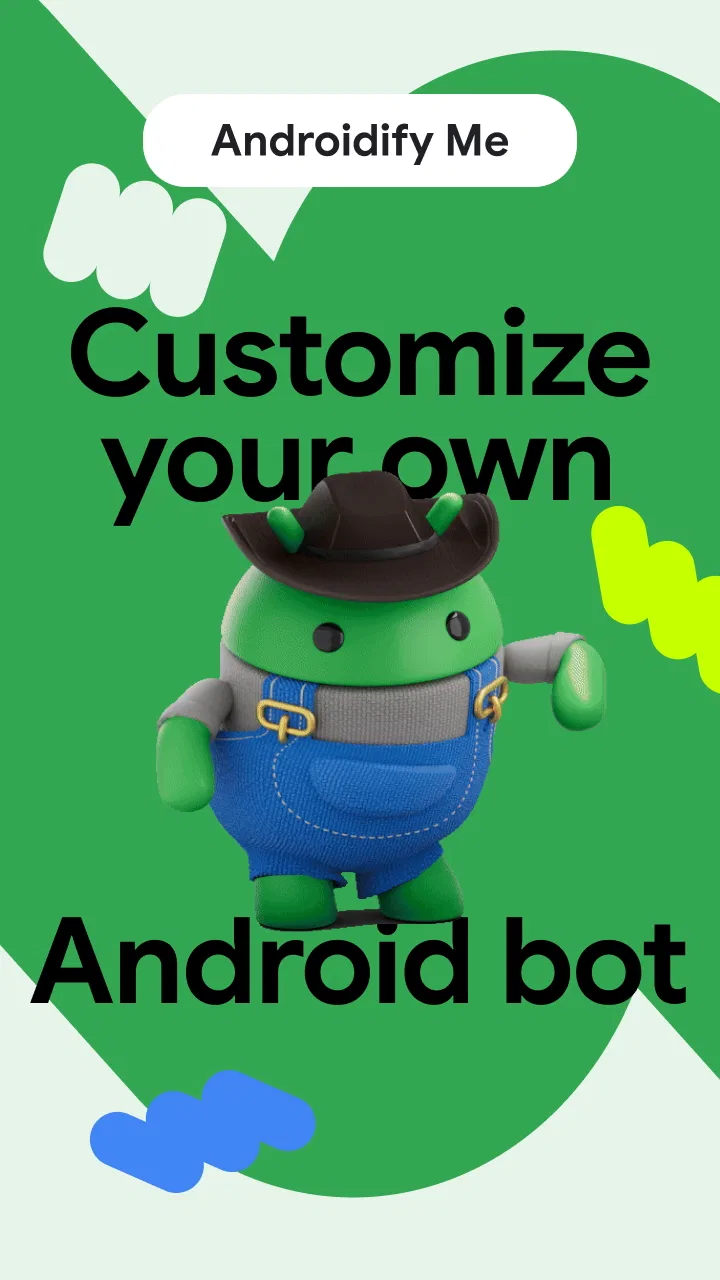
Androidify is a small, playful app that turns the familiar Android bot into a personalized character. After spending time with it, my main impression is that it works best as a creative toy rather than a serious customization tool. It is easy to understand, free to try, and appealing when I want to make a quick Android-themed image or character without learning a complicated editor. At the same time, its limited purpose means it will not replace a full avatar creator, drawing app, or wallpaper editor.
That narrow focus is also its strongest quality. Instead of asking me to build an entire scene from scratch, the app puts the Android mascot at the center and encourages small visual decisions around it. The result feels more personal than simply using the standard bot, while remaining much less demanding than a conventional design application. If you enjoy Android culture, casual customization, or making a recognizable character for a profile image, Androidify has a clear reason to exist.
What using Androidify feels like
The app comes from Google Samples and sits in the libraries and demonstration area of the app world. That positioning matters: I approached it as an example of Android-themed creativity, not as a feature-heavy social platform or a production-grade graphics package. The store summary describes the idea in a few words, but the practical appeal is in how quickly that idea becomes something I can use.
You May Also Like

 Blood Strike: 2.5 Anniversary
Blood Strike’s Loadouts Turn Every Drop Into a Tactical Gamble
A close look at Blood Strike’s custom loadouts: how fast access to signature weapons reshapes its battle royale rhythm, rewards preparation, and narrows the gap between fights.

 Pandora - Music & Podcasts
Pandora’s Music Is Easy to Start, but Harder to Recover
Pandora’s strength is its low-effort path from a seed to a station. Its weak spot is how much confidence it asks you to place in connection, setup, and quiet recovery.

 8 Ball Pool
 Is Built on Rivalries, Rematches, and Routine
A close look at the rivalries, rematches, shared routines, and unanswered safety questions that turn a quick pool match into a persistent mobile community.

 Samsung Music
’s Quiet Strength Is Playing What You Already Own
Its reach comes less from spectacle than from dependable access to a personal library. That simplicity is both the app’s strongest retention engine and its ceiling.

 AccuWeather: Weather Radar
AccuWeather Review: A Quick, Clear Forecast for Everyday Decisions
For everyday plans, the best forecast is the one you can understand quickly. AccuWeather makes rain timing, radar, and local conditions easy to act on, with a few trade-offs.

 Hill Climb Racing
Why Hill Climb Racing Still Turns Crashes Into One More Run
A tiny car, a bumpy hill and one more upgrade: Hill Climb Racing keeps resurfacing because its simple chaos makes every near-miss feel personal.
More From Our News Desk
View All News


My favorite part is the low commitment. I do not need to prepare a project, choose a canvas size, or understand layers before getting started. The Android bot provides an immediate visual anchor, so the creative task feels closer to dressing up a familiar character than learning illustration software. That makes the app approachable for children, casual users, and anyone who wants to experiment for a few minutes.
The current release is version 1.3.0, and the app is free. It is also rated for Everyone, which fits the harmless, character-focused concept. I would still treat the age label as a description of the app’s tone rather than a promise that every child will understand every control without help. Younger users may enjoy the visual choices immediately, while adults might appreciate it as a quick way to make something amusing for a message or online identity.
Androidify has attracted over fifty thousand installs, with an average rating of 3.4 from roughly four hundred ratings. That response suggests a mixed but understandable reaction: the concept is distinctive, yet the audience for a single-mascot customization app is naturally smaller than the audience for a general photo editor. I would not read the rating as a reason to dismiss it, but I would read it as a reminder to keep expectations realistic.
A useful creative workflow for quick results
I found the app most useful when I began with a specific purpose instead of opening it with the vague goal of “making something cool.” For example, I could decide to create a simple Android character for a group chat, a playful contact image, or a visual joke based on a friend’s interests. Starting with that small objective made the available choices feel more focused and helped me finish rather than endlessly tweaking.
A practical workflow is to make one recognizable version first, save or use that result, and only then return to experiment. This avoids the common trap of spending too long comparing tiny visual differences. The bot’s identity is already strong, so a few deliberate changes can be more effective than trying to make every part unusual. In my experience, restraint produces a cleaner result than piling on every option at once.
Another useful approach is to create variations for different contexts. I might make one friendly, simple character for a profile image and another more exaggerated version for a joke. Keeping those purposes separate helps me judge the design at the size where it will actually appear. A character that looks entertaining on a large phone screen may become visually busy when reduced to a small avatar.
This is one of the app’s less obvious strengths: it encourages visual editing without making the process feel like work. I can learn a basic lesson about contrast, silhouette, and recognizable details simply by comparing versions of the same mascot. That makes it suitable for someone who wants a gentle introduction to customization, especially if a full drawing program feels intimidating.
Where it stands against ordinary alternatives
If I compare Androidify with a standard avatar maker, the biggest difference is identity. General avatar apps usually offer broader character construction, with more emphasis on faces, bodies, outfits, and social-ready portraits. Androidify is more limited, but the Android bot gives every result an immediate connection to the platform. I do not need to explain what the character is supposed to represent.
A photo editor is better when I want to combine several images, add text, crop carefully, or prepare a polished graphic. A wallpaper application is a better choice when the goal is to decorate the whole screen rather than create one character. A drawing app wins when I want complete control over color, shape, and composition. Androidify makes more sense when speed and Android-specific personality matter more than flexibility.
That trade-off is important. The app’s value does not come from matching the number of tools found in larger creative products. It comes from reducing the distance between an idea and a finished Android-themed character. If I need a professional-looking poster, I would move elsewhere. If I want a quick mascot with a recognizable connection to Android, the narrower tool can actually be more convenient.
It also differs from social avatar services because the experience is centered on making the character, not on maintaining a public identity or browsing a community. That makes it calmer and more private in feel, but it also means there is less reason to return every day unless I enjoy creating new variations. For me, it is a project-based app: useful when an idea appears, then easy to set aside.
The meaningful limitation: novelty can run out quickly
The main weakness is not that Androidify does one thing; it is that the one thing may not hold everyone’s attention for long. Once I have made a few versions of the bot, the creative challenge can become repetitive. Users who expect a continuously expanding avatar system may feel that they have reached the edge of the experience sooner than expected.
This limitation affects the app’s value differently depending on the person. Someone who wants a one-time character for a profile or message may see the focused design as efficient. Someone who enjoys deep customization, elaborate scenes, or frequent content updates will probably want a broader alternative. I would not recommend installing it with the expectation of a full creative suite.
The small scope also means that the quality of the final result depends heavily on the user’s choices. There is no need to overcomplicate the character, but there is also no large editing environment to rescue an unclear idea. I get the best outcome when I think about the intended use first and keep the design readable. If I simply change things at random, the result can feel like a collection of edits rather than a character with a purpose.
Another point to consider is audience fit. The Android connection is the reason to choose this app, but it is also the boundary around it. A person who wants a neutral avatar, a realistic portrait, or a character unrelated to Android will probably be better served by another tool. Androidify is not trying to be universal, and I think it is more honest to judge it as a themed utility than as a general-purpose art app.
Who will get the most from it
I would recommend Androidify to Android fans who enjoy small creative experiments. It is particularly suitable for someone who wants a recognizable mascot without drawing one manually. It can also work well for families looking for a simple, age-appropriate activity, provided that younger children receive basic guidance while exploring the controls.
It is a good fit for quick personal projects. I can imagine using it before sending a playful birthday message, making a humorous contact image for a friend who loves Android, or preparing a simple visual for a casual online conversation. In each case, the app’s speed matters more than advanced editing depth.
It may also appeal to developers, students, and designers who want a lightweight demonstration of Android-themed interaction. Because it is published by Google Samples, I see an additional interest for people who like exploring sample-style applications and observing how a focused concept is presented. I would not mistake that appeal for a promise of development documentation or a complete learning course, but the sample identity gives the app a different character from a typical commercial avatar product.
I would advise skipping it if your main goal is detailed illustration, professional branding, photo manipulation, or a large library of reusable design assets. It is also not the right choice if you need a sophisticated workflow with extensive control over typography, composition, and export preparation. In those situations, a dedicated editor will save time even if it takes longer to learn.
Practical expectations before installing
The app is free, so the decision is mainly about whether its focused concept matches what I want to make. I would install it when I have a clear Android-themed use in mind, rather than expecting a broad collection of creative tools. That small change in expectation makes the experience feel more satisfying because I judge it by its ability to produce a fun mascot, not by features it was never meant to provide.
The Everyone rating makes it approachable for a wide audience, but the best results still come from having a little patience. I recommend making a basic version first, checking how it looks at a small size, and then adjusting only the details that improve recognition. This is more effective than treating every available choice as equally important.
For a group activity, I could give each person the same starting idea and compare how differently they interpret the Android bot. That turns the app into a simple creative prompt rather than a solitary customization tool. It is a useful way to extend the experience when the basic novelty has started to fade, and it does not require advanced artistic skill.
One further tip is to think about consistency if creating more than one character. Using a similar visual approach across a small set can make the results feel connected, while deliberately changing only one major element can highlight personality differences. This gives the app more practical value than treating each creation as an isolated experiment.
My verdict on Androidify
Androidify succeeds because it is specific. It takes one familiar Android symbol and turns it into a simple creative starting point. I enjoyed the lack of setup and the way a few choices could produce a character that felt more personal than the default mascot. For quick images, casual jokes, and Android-centered customization, that focus is genuinely useful.
Its weakness is equally clear: the experience is not deep enough for people who want an all-purpose avatar studio. The novelty may wear off, and the app’s value depends on whether the Android theme itself interests me. That is not a flaw I would hide, but it is a limitation that should guide the decision to install it.
Overall, I see Androidify as a pleasant free app for short creative sessions, not a replacement for a photo editor or full character creator. I would recommend it to Android enthusiasts, families seeking a simple visual activity, and anyone who needs a quick mascot with a clear theme. If that sounds like you, the focused simplicity is the feature, not the compromise. If you need broad control or long-term creative depth, choose a more capable alternative instead.
My final recommendation is therefore selective but positive. Androidify is worth trying when the Android bot is already part of the idea you want to express. It gives that idea a friendly, accessible form without charging for the experience, and its current version keeps the concept straightforward. Just install it for a specific creative purpose, keep your designs readable, and judge the result as a compact Android-themed tool rather than as a complete art application.
FAQs for Androidify
01What is Androidify and how does it work?
Androidify is a creative app that allows users to customize and create their own Android characters. By selecting from a variety of clothing, accessories, and body types, users can design unique avatars. The app is user-friendly, featuring drag-and-drop functionality, making it accessible for all ages to explore their creativity.
02Is Androidify free to download and use?
Yes, Androidify is free to download and use. While the core features are available at no cost, there may be optional in-app purchases for additional customization items or accessories. These purchases can enhance the user experience but are not necessary to enjoy the app's main functionalities.
03What devices are compatible with Androidify?
Androidify is compatible with most Android devices running version 4.0 or higher. Users should ensure their device meets these requirements for optimal performance. While there is no official iOS version, Android users can enjoy the app's features seamlessly. Always check for the latest updates to improve compatibility.
04Do I need an internet connection to use Androidify?
No, an internet connection is not required to use Androidify once it is installed on your device. However, if you wish to share your creations on social media or access online content, a connection will be necessary. The app is designed to function offline for core features.
05Is Androidify safe for children to use?
Yes, Androidify is safe for children and offers a fun, creative platform for users of all ages. The app contains no inappropriate content, and parental controls can manage any in-app purchases if desired. It's a delightful way for kids to explore digital creativity in a secure environment.
Pros
- Highly customizable avatars.
- User-friendly interface.
- Regular updates with new features.
- Integrates well with social media.
- Lightweight and fast performance.
Cons
- Limited clothing options.
- In-app purchases can be pricey.
- No offline mode available.
- Occasional bugs in updates.
- Limited skin tone diversity.

Androidify
Gallery